




Need an inbox on an academic domain for a few minutes, without signing up or handing over your real address? An edu email temp address does exactly that. You get a disposable, receive-only mailbox on an education-style domain. It's ready in seconds, it collects your verification codes and confirmation links, and you can throw it away when you're done.
Create a free edu email temp inbox →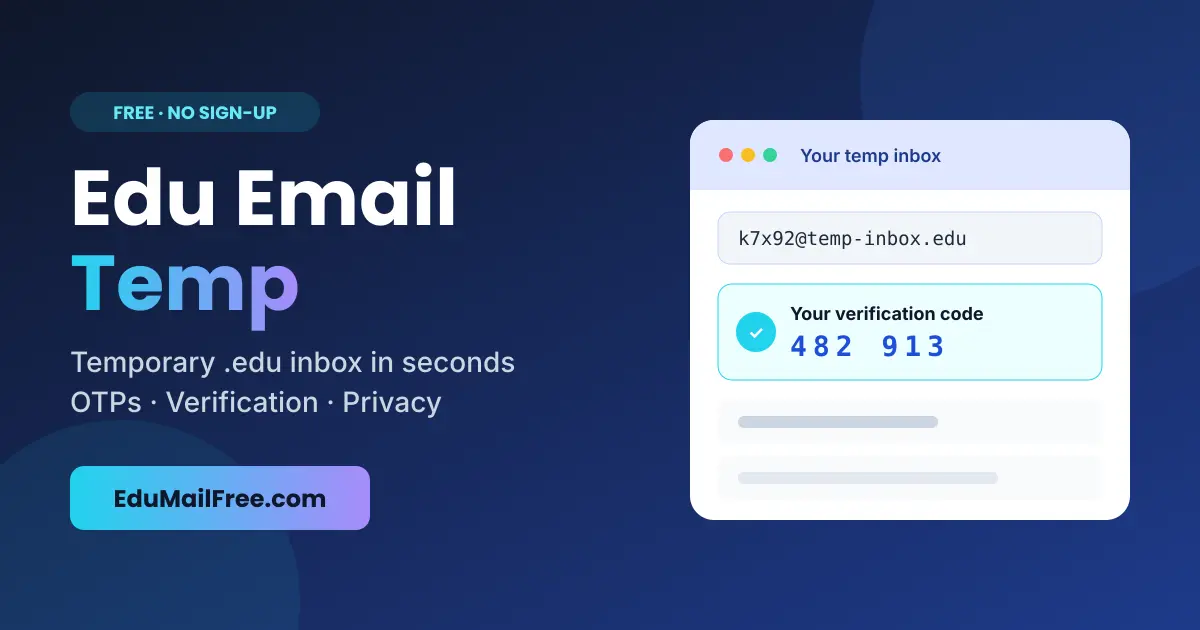
⚡ Quick answer
An edu email temp is a free, short-lived email address on an academic-style domain. Use it to receive OTPs, confirmation links and test emails without exposing your real inbox. It can't send email, and it doesn't prove you're a student.
This guide covers what a temporary edu email is, how to create one, where it's useful, and just as important, what it can't do. If you want to skip ahead, you can open a free inbox on the EduMailFree edu email temp generator right now.
What Is an Edu Email Temp Address?
An edu email temp address is a short-lived email address on an academic-style domain. You don't create an account. There's no password and no phone number, and no personal details are stored. The address is created for you instantly, and any message sent to it shows up in a web inbox you can read in your browser.
It's "temp" because it isn't meant to last. A normal email account is something you keep for years. A temporary edu inbox is something you use for one task: receiving a one-time code, confirming a sign-up, or testing how a website handles academic email addresses. Then you move on.
People also call it temp edu mail, disposable edu email, burner edu email, or a temporary student email. These names all mean the same thing: a receive-only inbox that keeps your real email out of places it doesn't need to be.
How to Get an Edu Email Temp Inbox in 3 Steps
On EduMailFree, the whole process takes less than a minute:
Open the generator
Go to edumailfree.com and click to launch a free mailbox. A random .edu-style address is created for you instantly.
Copy and use the address
Paste it into the sign-up form, newsletter box, or test environment where you need to receive a message.
Read your message
Verification codes, OTPs, and confirmation links arrive in your inbox dashboard, usually within seconds. When you're finished, close the tab and the address is gone.
💡 Tip: keep the browser tab open until your message arrives. The temporary inbox stays active while your session is running.
How a Temporary .edu Inbox Works
Behind the scenes, a temp edu email service runs its own mail servers on one or more academic-style domains. When a website sends an email to your generated address, the server accepts it, stores it for a short time, and shows it in your browser through the inbox dashboard.
Three things make this different from a normal mailbox:
Receive-only
You can read incoming mail, but you can't send messages from the address.
Short retention
Messages and addresses expire, so nothing builds up and nothing is kept long-term.
No identity
There's no registration, so the address isn't tied to your name, phone number, or main inbox.
That design is what makes an edu email temp inbox fast and private. It also explains its limits, which we'll cover below.
Best Uses for an Edu Email Temp
A temporary academic inbox is a practical tool for many everyday and professional tasks:
🧪 Testing edu sign-up flows
Developers and QA teams use temp edu mail to check how their apps validate academic domains, send welcome emails, and handle OTP delivery, without creating real student accounts.
🔐 Receiving one-time codes
Grab a verification code or confirmation link for a service you only need once.
🎓 Webinar and course previews
Register for a free lecture, a sample lesson, or a learning platform demo without signing up for months of marketing emails.
📄 Downloading resources
Get a gated e-book, study template, or white paper without adding your real address to another mailing list.
🛡️ Protecting your school inbox
If you already have a university email, a disposable one keeps it clean and away from spam, data leaks, and phishing attempts.
🚀 Trying an app before you commit
Explore a new tool first. If you decide to keep using it, switch the account to your permanent email.
What a Temp Edu Email Can't Do
Being honest about the limits will save you time and frustration:
- It doesn't prove you're a student. Many student programs verify enrollment through school databases or services like SheerID and UNiDAYS, not just the email domain. A temporary address isn't proof of enrollment, and using one to pose as a student breaks most platforms' terms and our own Ethical Use Policy.
- It isn't for long-term accounts. If you lose access to the address, you can't recover passwords or receive future security alerts. Never use a temp inbox for banking, work, government services, or anything you need to keep.
- Some sites block it. Some platforms throttle or filter known temporary domains, so a message may occasionally not arrive. If that happens, generate a new address and try again.
- You can't send from it. It only receives mail, which keeps the service clean and hard to abuse.
Edu Email Temp vs. University Email vs. Regular Temp Mail
| Feature | Edu Email Temp | Real University Email | Regular Temp Mail |
|---|---|---|---|
| Setup time | ✅ Instant | Requires enrollment | ✅ Instant |
| Academic-style domain | ✅ Yes | ✅ Yes (official) | ❌ No |
| Registration needed | ✅ No | Yes | ✅ No |
| Can send email | ❌ No | ✅ Yes | Usually no |
| Proves student status | ❌ No | ✅ Yes | ❌ No |
| Best for | Testing, OTPs, privacy | Study and official accounts | General throwaway sign-ups |
Safety Tips for Using Temporary Edu Mail
- Treat the inbox as public. Never send passwords, ID documents, or payment details to a temporary address.
- Copy any code or link you need right away, because messages expire.
- Be careful with links inside emails you didn't expect. Phishing can reach disposable inboxes too.
- Move any account you decide to keep to your permanent email as soon as possible.
- Follow each platform's terms of service and use the address for legitimate purposes only.
Why Use EduMailFree for Your Edu Email Temp?
EduMailFree is built for one job: giving you a clean, fast, receive-only edu inbox with no friction.
⚡ Instant inbox
No forms, no sign-up, no waiting.
📨 Fast delivery
OTPs and confirmation links usually arrive within seconds.
🔒 Privacy first
No personal data required and nothing linked to your identity.
🧑💻 Developer-friendly
Ideal for QA sandboxes and testing academic-domain logic.
💸 Free
Create as many temporary addresses as you need.
🌐 Multiple domains
Choose from several academic-style domains on the inbox page.
Frequently Asked Questions
Is an edu email temp address free?
Yes. On EduMailFree you can generate a temporary edu inbox for free, with no registration and no payment details.
How long does a temporary edu email last?
The inbox stays active while your browser session is open. After that, the address and its messages expire. Copy anything you need before closing the tab.
Can I send emails from a temp edu address?
No. The service is receive-only. You can read incoming verification codes and links, but you can't send messages.
Will a temp edu email get me student discounts?
Don't count on it. Most student programs verify real enrollment, and pretending to be a student breaks their terms. Use a temp edu email for privacy, testing, and one-time verifications instead.
Is using a temporary edu email legal?
Using a disposable inbox to protect your privacy or test software is generally fine. Using it for fraud, impersonation, or to get around bans is not, and it's against EduMailFree's Ethical Use Policy.
Why didn't my verification email arrive?
Some websites block or delay temporary domains. Wait a minute, refresh the inbox, and if nothing arrives, generate a new address and try again.
Get Your Edu Email Temp Inbox Now
An edu email temp inbox is the fastest way to receive a code, test an academic sign-up flow, or keep your real address private, all in under a minute. Use it for short, legitimate tasks, keep your important accounts on a permanent email, and you'll get the best of both.
Create your free edu email temp inbox →